Recently, I’ve been diving into AI coding agents in my day-to-day work and side projects (the fact that I have side projects at all is a testament to this). In my job, I use Claude Code and a series of custom-built skills that apply Context Engineering practices to solve complex problems reliably. As the models improve and I refine these skills, the quality and reliability of the generated work has improved significantly. I’m working on a full article describing these approaches in detail, so stay tuned.
I’ve also started several side projects outside of work. For these, I decided to try Codex instead of Claude Code. So far, Codex has been great and developing complex code with little back and forth.
However, from a larger project perspective, I found it difficult to adapt my existing workflows directly to Codex. Claude Code provides strong built-in support for task tracking, sub-agents, and background execution, which my workflows rely on heavily. Codex does not provide the same level of built-in coordination. Since I needed to establish a new workflow for a larger side project I was starting anyway, I wanted to try out some popular tools and see if they were worth the hype.
Enter: Beads
Beads by Steve Yegge is a persistent, structured memory utility designed for coding agents. At its core, it is a CLI that allows you to create project-scoped tasks with explicit dependency relationships and hierarchical structure. By integrating the beads CLI into your agent workflow, you introduce a persistence layer outside of the model’s context window.
Beads in My Project Context
Before integrating Beads, we should cover what my project setup and initial research and planning looks like. I typically spend significant time at the start of a project defining requirements, system design, data models, and architecture before allowing the coding agent to begin implementation.
For this project, I performed this design phase primarily through conversations with ChatGPT. After few hours of iteration, I produced the following artifacts:
PRD.md— Product requirements documentARCHITECTURE.md— High-level system designDATA_MODEL.md— Conceptual and concrete data modelsEVENT_MODEL.md— Event-based state tracking modelPROJECT_STRUCTURE_BOOTSTRAP.md— Technology choices and repository structurePHASE_OUTLINE.md— Structured execution outline dividing the project into phases, epics, and milestones
These are pretty typical artifacts for my projects. They give us a full design as well as a phased outline so we can build smaller, more detailed, implementation plans that the agents execute.
Building the plans
The next step is translating the high-level phase outline into concrete execution plans. In Codex, I used a planning prompt based on OpenAI’s article: Using PLANS.md for multi-hour problem solving. See the references section for my adapted version of this skill.
Using this approach, I generated an ExecPlan for each phase. Each ExecPlan defines an incremental, dependency-aware implementation sequence to be executed.
Integrating Beads
At this stage, each phase has a detailed execution plan ready for implementation. Codex could execute these plans directly but here I use Beads to provide a persistent coordination layer that improves execution dependency tracking and resumability across sessions.
Project setup for Beads
Beads provides simple initialization commands for Codex integration:
bd setup codex
bd hooks install
This populates AGENT.md with operational guidance for interacting with the Beads system. After enabling this Codex should start using beads in the project to track tasks.
This default integration probably helps with general task tracking in Codex but it does not enable our full workflow.
Custom Bead Skills: Task Generation and Execution Loop
To complete the coordination and execution pipeline, I implemented two additional Codex skills:
- A task generation skill that converts ExecPlans into bead graphs
- An execution loop skill that selects and implements beads in dependency order
These skills establish our core workflow of breaking a plan into tasks and picking them up until everything is done.
You can find complete examples of these skills in the references section.
Task Generation Skill
This skill converts an ExecPlan into a structured bead dependency graph.
It operates in two passes:
Pass 1:
Parses the ExecPlan and creates beads for each task, establishing hierarchical and dependency relationships.
Pass 2:
Validates and corrects the generated dependency graph, removing cycles and resolving structural inaccuracies.
This ensures the resulting bead tasks are ready to go. The agent can now look for unblocked tasks and work on them. As they complete tasks, more become unblocked and ready to be worked on.
Execution Loop Skill
This skill implements a loop where each iteration performs the following steps:
- Select the next available bead with satisfied dependencies
- Implement the task described by the bead
- Perform specification verification
- Perform code revie
- Mark the bead as complete
Currently, I run this loop within a Codex session and periodically restart the session when context utilization approaches approximately 60%. An improvement would be to run this loop within a Ralph loop, to get fresh context constantly per-task. Building such a loop is on my list to try next.
Results
My Codex workflow solidified into something like:
- Design phase — PRD, architecture, and models
- Planning phase — ExecPlans generated from the design
- Execution phase — Beads acting as the coordination and state system
Codex drives both the planning and execution phases (it could drive the design as well, but I wanted to preserve my credits…). Beads provides an easy path for running tasks in optimal context windows by resuming tasks from fresh windows when needed.
So far, I’ve used this workflow to execute approximately half of the project’s epics, and the results have been cool. In combination with my normal Context Engineering patterns, I’m able to have Codex work on tasks for hours at a time. Because comprehensive design, architecture, and execution planning artifacts were already in place, integrating Beads as the execution coordination layer was straightforward and effective.
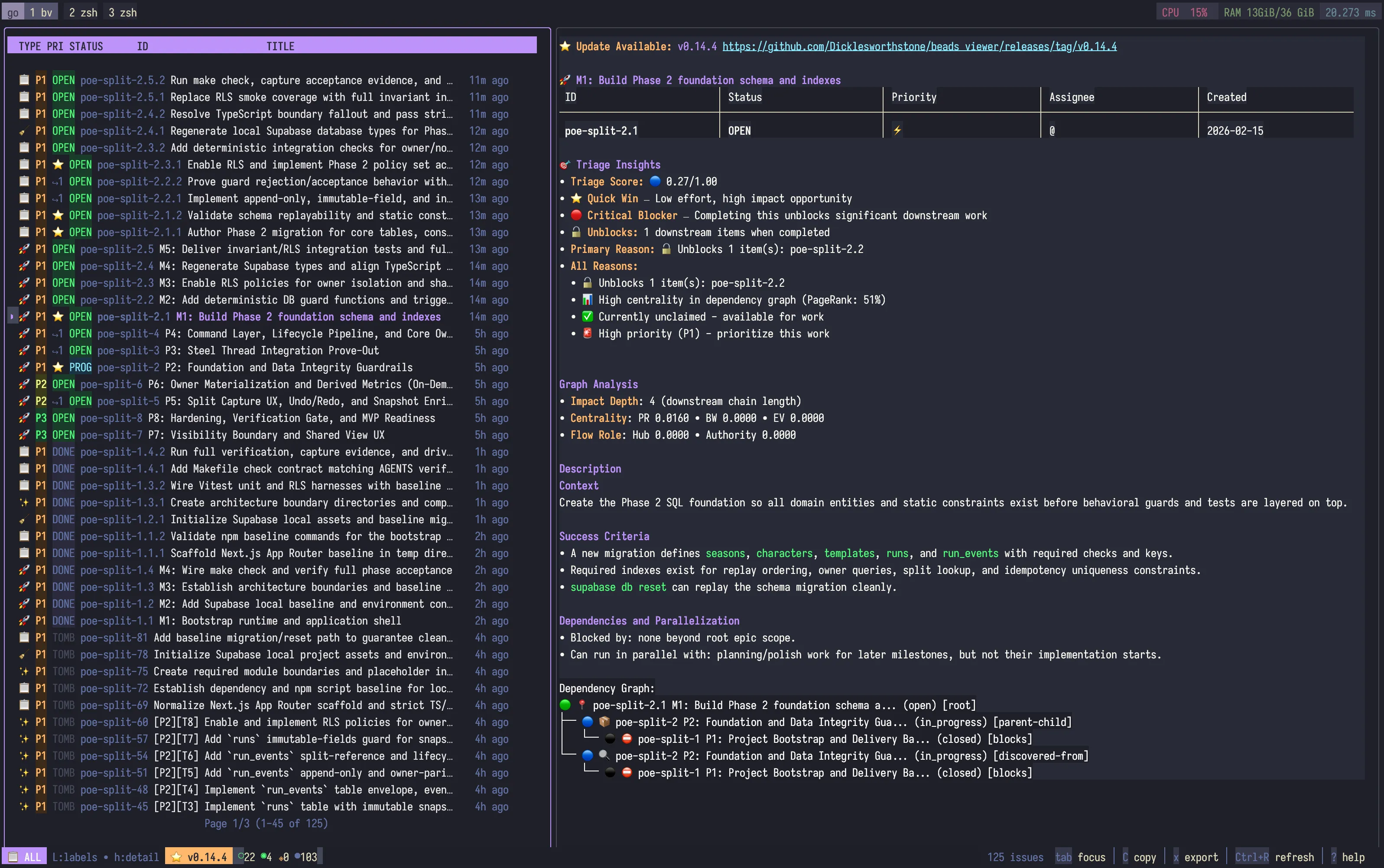
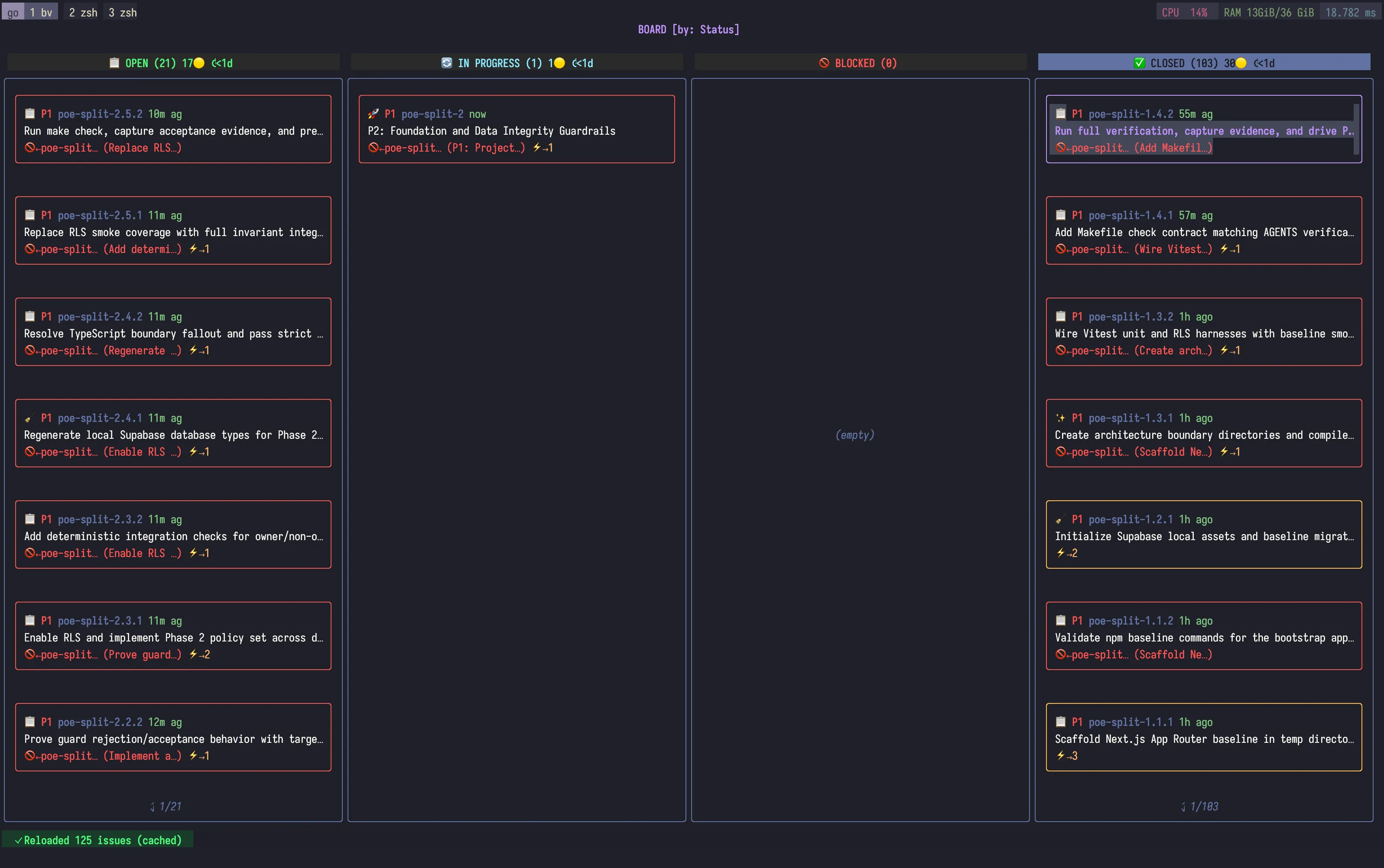
Another cool feature: I used beads viewer to inspect execution progress in both list and Kanban formats.